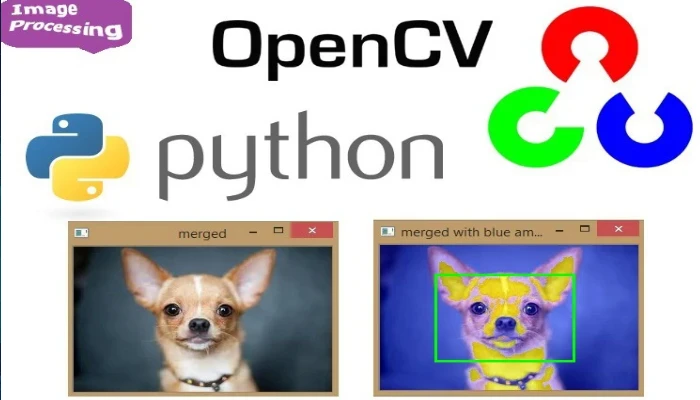





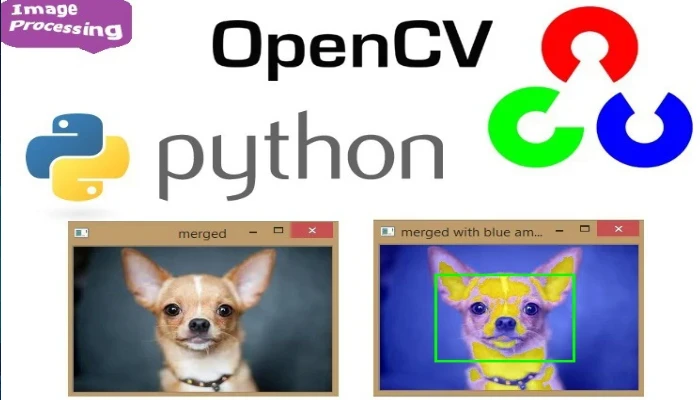
Python OpenCV
What you'll learn
• Understand computer vision basics and how images are processed
• Work with OpenCV to handle images and live webcam feeds
• Apply filters, effects, and edge detection techniques
• Detect faces in real time using Haar Cascade models
• Generate QR codes and barcodes programmatically
• Scan and decode QR codes using OpenCV
• Combine multiple technologies into one smart application
• Build real-world AI-style projects
This course includes:
• 2 Advanced Coding Projects
• 6 Hours Live Classes (4 Sessions)
• Online / Onsite (Physical)
• Practice Files & Pre-trained Models
• Mini Project (Smart Camera App)
• Certificate of Completion
Course Content
Session 1 — Introduction to OpenCV & Image Processing
Duration: 90 Minutes
Topics Covered:
• Installing OpenCV (opencv-python)
• Understanding Pixels and Image Structure
• Reading and Displaying Images
• Working with Webcam using VideoCapture(0)
• Understanding BGR Color Format
• Drawing Shapes and Text on Frames
Key Learning Objectives:
• Understand how images are represented digitally
• Capture live video from webcam
• Display and manipulate frames
• Overlay graphics and text
Activities:
• Install and import cv2
• Display an image file
• Open live webcam feed
• Draw rectangle border on frame
• Add name as live text overlay
Session 2 — Filters, Effects & Face Detection
Duration: 90 Minutes
Topics Covered:
• Image Filters (Blur, Edge Detection)
• Grayscale Conversion
• Canny Edge Detection
• Haar Cascade Face Detection
• Real-Time Object Detection
Key Learning Objectives:
• Apply visual effects to images
• Detect edges and patterns
• Implement face detection systems
• Understand basic AI/computer vision concepts
Activities:
• Apply blur effect to webcam feed
• Convert frames to grayscale
• Load Haar Cascade model
• Detect faces in real time
• Draw bounding boxes around faces
Session 3 — QR Code & Barcode Generation
Duration: 90 Minutes
Topics Covered:
• Installing QR Code and Barcode Libraries
• Understanding QR Codes and Data Encoding
• Generating QR Codes from Text/URLs
• Generating Barcodes
• Scanning and Decoding QR Codes using OpenCV
Key Learning Objectives:
• Create QR codes programmatically
• Understand data encoding methods
• Scan and decode visual data
• Integrate multiple libraries
Activities:
• Generate QR code for name
• Generate QR code for website
• Create barcode
• Scan QR code via webcam
• Display decoded text on screen
Session 4 — Smart Camera App (Mini Project)
Duration: 90 Minutes
Topics Covered:
• Combining OpenCV Features
• Real-Time Processing Pipeline
• Capturing and Saving Images
• Integrating QR Code Generation
• User Interaction via Keyboard
Key Learning Objectives:
• Build complete real-world applications
• Combine multiple technologies
• Implement interactive features
• Develop project-based problem-solving
Activities:
• Build “Smart Camera App”
• Live webcam with face detection
• Press key to capture image
• Add QR code watermark with name
• Save image with overlay
• Display “Photo Saved!” message
Practice Projects for Real-World Skills
• Image Viewer & Editor
• Face Detection System
• QR Code Generator & Scanner
• Smart Camera Application (Final Project)
Requirements
• Completion of Python Intermediate Level (Modules 1–3)
• Strong understanding of Python basics and logic
• Laptop/PC with webcam
• Python environment with pip access
Description
This advanced Python module introduces students to computer vision and real-time image processing using OpenCV. Students will learn how machines “see” images and videos, apply filters, detect faces, and build intelligent systems.
By integrating QR code generation and scanning, learners will create powerful applications that combine vision, automation, and data encoding—skills widely used in AI and modern software systems.
Why Choose This Course?
• Learn Computer Vision Fundamentals
• Work with Real-Time Webcam Processing
• Build AI-like Applications
• Combine Multiple Advanced Libraries
• Hands-On Project-Based Learning
Activities During Class
• Capturing and processing images
• Applying filters and effects
• Detecting faces in real time
• Generating and scanning QR codes
• Building complete smart applications
Who Is This Course For?
• Students who completed Python Intermediate Level
• Learners interested in AI and computer vision
• Advanced school students
• Future developers and tech enthusiasts
Course Highlights
• Advanced Real-World Applications
• Computer Vision & AI Concepts
• Interactive Projects
• Multi-Library Integration
• Certificate of Completion
Enroll Today!
Step into the world of Artificial Intelligence and Computer Vision. Learn how to build smart applications that can see, detect, and interact with the real world using Python.
📸 Course Gallery